MaxBilling includes a Multi-Tier Pricing object that allows users to group multiple pricing items and apply tiered pricing based on the usage of a selected primary pricing item
To create a new Multi-Tier object:
- Navigate to Multi-Tier
- Click New MXB Multi-Tier. The MXB Multi-Tier layout opens.
- Fill in the fields.
- Click Save.
Multi-Tier fields
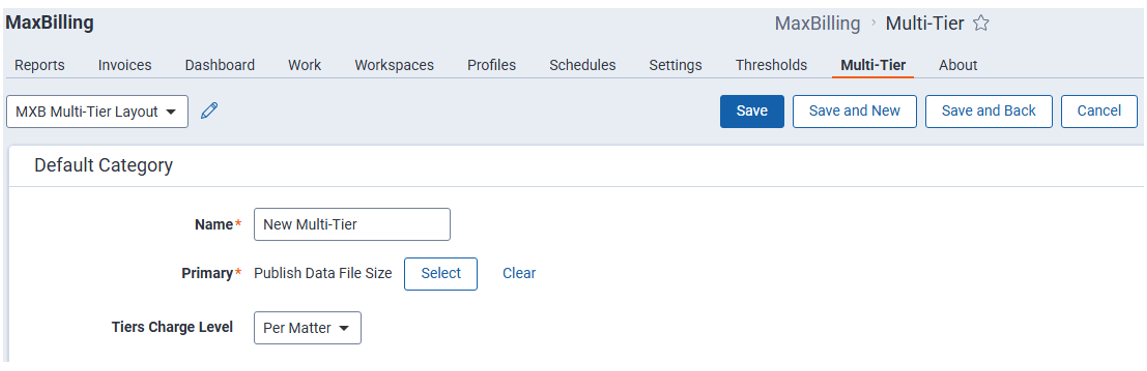
- Name – Free-text field used to define the name of the Multi Tier Pricing.
- Primary – Defines the primary Pricing Item Type. The user can select any existing Pricing Item Type as the primary item.
- Tiers Charge Level – Defines how the tier usage should be calculated. Available options are Per Workspace, Per Matter, and Per Client.
- Per Workspace – Tiers are applied based on the usage of each individual workspace.
- Per Matter – Tiers are applied based on the total usage across the whole matter.
- Per Client – Tiers are applied based on the total usage across the whole client.